CourtServe match texts is a two-way SMS program for members of clubs that use CourtServe (https://courtserve.app), operated by Jeff Prince, an individual (sole proprietor). Before a member’s scheduled team match, it texts to ask whether they can play and confirms their Y/N/M reply. It sends no marketing or promotional messages.
How a member opts in
Members opt in themselves, on one form, and only after signing in:
- A club administrator invites the member by email. The member accepts the invitation and signs in at their club’s own CourtServe address, a subdomain of courtserve.app such as yourclub.courtserve.app.
- The member opens the Profile page from the app’s main menu.
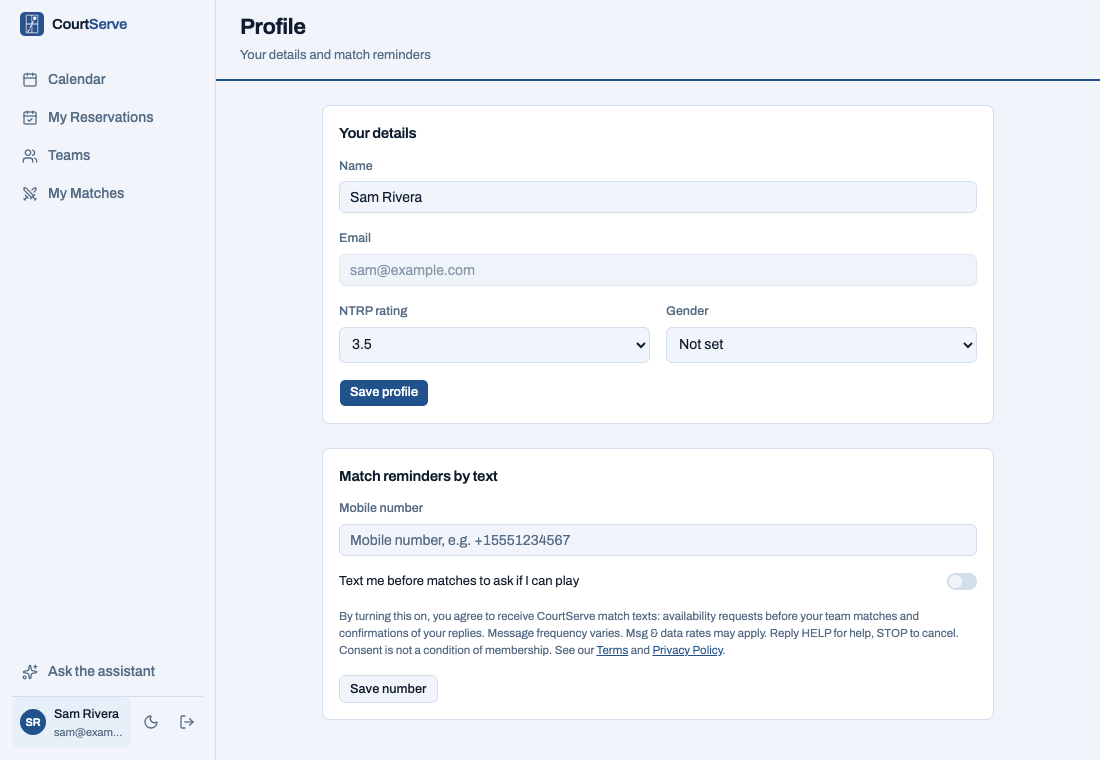
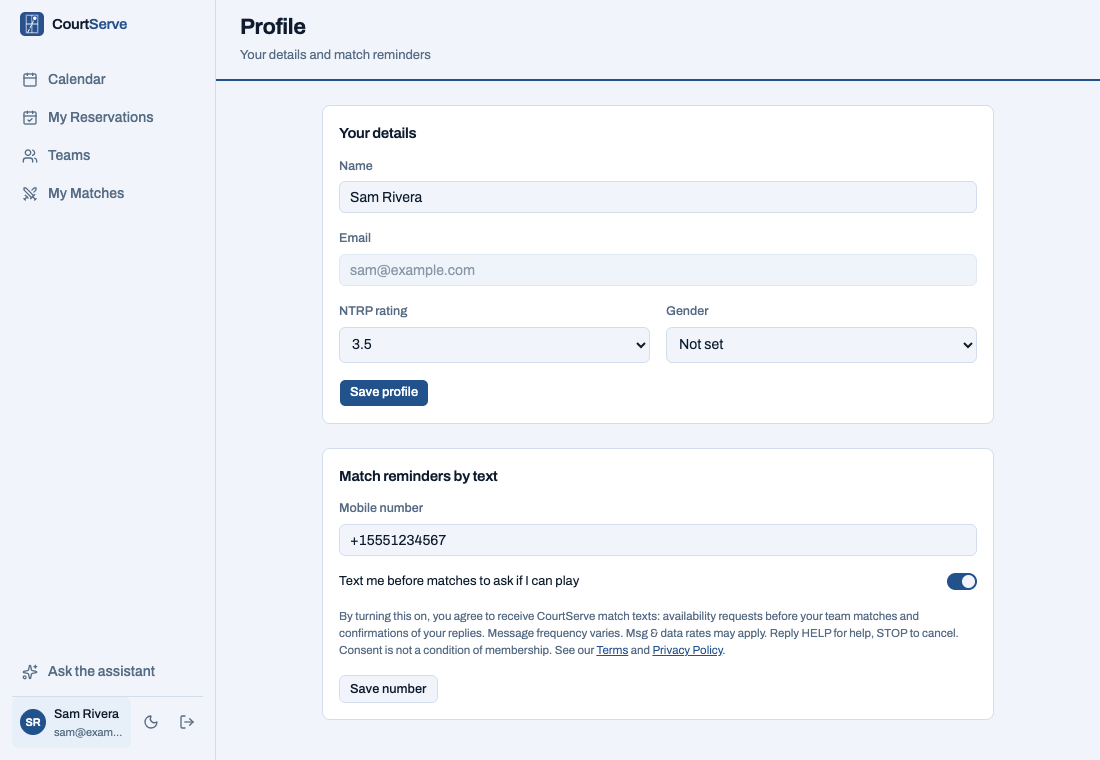
- Under “Match reminders by text”, the member enters their mobile number and turns on “Text me before matches to ask if I can play”. The switch is off until the member turns it on.
- The member clicks “Save number”. CourtServe records the time of consent.
This form is the only way to opt in. Club administrators and staff cannot opt a member in, consent is never pre-selected, and nobody is enrolled by text message. Opting in is not a condition of club membership or of using CourtServe.
The opt-in form
This is the form exactly as members see it on their Profile page, where sign-in is required. It is a preview: nothing entered here is saved.
Match reminders by text
By turning this on, you agree to receive CourtServe match texts: availability requests before your team matches and confirmations of your replies. Message frequency varies. Msg & data rates may apply. Reply HELP for help, STOP to cancel. Consent is not a condition of membership. See our Terms and Privacy Policy.
Screenshots of the signed-in Profile page
The member’s Profile page inside CourtServe (sample member). Click an image for full size.
Messages members receive
- Availability request, about one per scheduled match: “CourtServe: can you play Aces vs Net Gains (Sat, Oct 4 at 2:00 PM)? Reply Y (yes), N (no), or M (maybe). Reply STOP to opt out.”
- Reply confirmation: “CourtServe: got it -- you’re in for Aces vs Net Gains (Sat, Oct 4 at 2:00 PM).”
Message frequency varies. Message and data rates may apply.
Opting out and help
- Reply STOP at any time, or turn the switch off on the Profile page. STOP sends one confirmation and then no more messages. A member who replied STOP can reply START to resume.
- Reply HELP for help, or email support@courtserve.app.
- Full program terms: Terms & Conditions. How mobile numbers are handled (they are never shared or sold): Privacy Policy.